Tâm trạng hàng ngày | Suy ngẫm
22-4-2024 05:18 PM |
|---|
Đã viết: 4 ngày [LV.2]Spam 2
|
Mời bạn đăng ký để giao lưu kết bạn nhé <3
Bạn phải đăng nhập để xem được nội dung, nếu bạn chưa có tài khoản? hãy Đăng ký
x
Step 1: Install Friend Connect and get your Site ID
See InstallFriendConnect for details. Step 2: Get Google Friend Connect for Discuz! 7.0
Get the latest version of the Plugin at http://code.google.com/p/google-friend-connect-plugins/downloads/list. After unzipping it, it should look like this: .
|
|-- images
| |
| `-- default
| |
| `-- gfc_arrow.gif
|
|-- plugins
| |
| `-- gfc
| |
| |-- common.php
| |-- config.inc.php
| |-- discuz.class.php
| |-- discuz_env_mock.php
| |-- gfcpluginunittest.php
| |-- global.func.php
| |-- message.big5.php
| |-- message.gbk.php
| |-- message.php
| |-- message.utf8.php
| |-- message.zh_TW.utf8.php
| `-- plugin.class.php
|
|-- templates
| |
| `-- default
| |
| |-- gfc_jsscript.htm
| |-- gfcprofile.htm
| `-- gfcregister.htm
|
|-- gfcauth.php
|-- gfccheck.php
|-- gfcinstall.php
|-- gfcprofile.php
|-- gfcregister.php
`-- gfcuninstall.php
You must modify the file plugins/gfc/config.inc.php, - $gfcconfig['siteid']="*****"; change ***** to your site id.
- $gfcconfig['sitepath'] = '/*****/'; change ***** to your site path (Ending with /).
Step 3: Upload the Google Friend Connect Plugin to your site
Upload the plug-in to your site install directory. - Upload plugins/gfc to plugins of your install dir.
- Upload images/default/gfc_arrow.gif to images/default .
- Upload files in templates/default to templates/default of your install dir.
- Upload gfcauth.php, gfccheck.php, gfcinstall.php, gfcprofile.php, gfcregister.php to your install dir.
Step 4: Edit necessary files in your site
Edit file templates/default/header.htm: - Insert line {subtemplate gfc_jsscript} before </head>
- Find the following section of code around line 60 or so:
- <!--{else}-->
- <a href="$regname" onclick="floatwin('open_register', this.href, 600, 400, '600,0');return false;" class="noborder">$reglinkname</a>
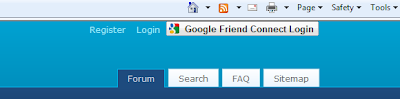
- <a href="logging.php?action=login" onclick="floatwin('open_login', this.href, 600, 400);return false;">{lang login}</a>
- <!--{/if}-->
- Thêm dưới
- <span id="friend_connect_gadget"></span>
- Step 5: Install Script
Open http://youdomainname.com/youpath/gfcinstall.phpin your browser. After the installation completes, you should see amessage telling you that your install succeeded. You will need tomanually delete the installation script. Step 6: Clear the Discuz! cache
Login in to Discuz! using your admin account, click the Tools link of System Settings, and choose Update Cache. Note
For demo, please check: http://www.unickway.org.cn/discuz.en/ If you want to add Google Friend Connect gadgets
Welcometo Google Friend Connect world! Since your forum site has already beenregistered as a Google Friend Connect enabled, for sure it could addany Google Friend Connect gadget as you like. For more info on how toadd a gadget, and how to find interesting gadgets like social-bar,recommendations, and events, please refer to the gadget directory. If you are using a different template
Please modify the coorsponding header.htm of the template. If you want to delete the pluginTroubleshooting
Please go to http://code.google.com/p/google-friend-connect-plugins/issues/list for help.
For more info, please refer to the manual: http://code.google.com/p/google-friend-connect-plugins/wiki/Discuz_Manual_EN.
See separate instructions for the WordPressPlugin, DrupalPlugin, PhpbbPlugin and Discuz! plugin. |
|

 /1
/1 





 Thẻ IP
 Thẻ đánh hơi
 Đăng lúc 11-12-2009 11:04 PM
 Thẻ thăng tiến
 Thẻ đỉnh cao
 Thẻ trầm mặc
 Thẻ huyên náo
 变色卡
变色卡 Thẻ cướp Tem
 Đóng đinh
 显身卡
显身卡